A wholesale company does not sell the way an online shop does. There are fewer clients, but each is a company with several legal entities, deferred payment, its own price and a buyer who texts on WhatsApp at nine in the evening. The product range runs to thousands of items, stock and prices live in 1C, and requests arrive from anywhere: a call, an email, a messenger, a tender platform. The manager keeps it all in their head and in Excel, and the head of sales learns about a problem when the client has already gone.
In such a company Bitrix24 does not replace 1C — it covers what 1C lacks: correspondence and calls with the client, orders in progress, tasks, reminders and oversight of managers. Below: how to split data between the CRM and 1C, what to set up first, what to look for in bitrix24.kz plans and which mistakes wholesalers make most often.
What lives in 1C and what lives in the CRM
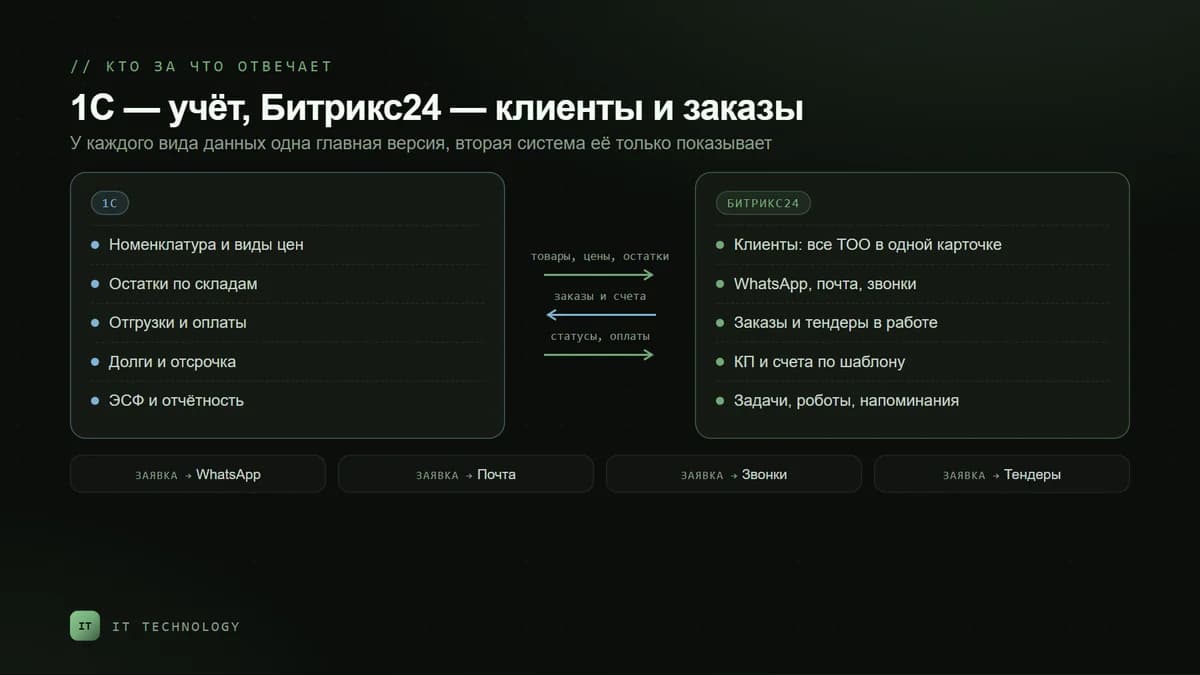
The key decision at the start is where the master copy of each type of data lives. Skip it, and a month later the CRM and 1C will hold two different prices, two stock figures and two invoice numbers. The scheme that works for wholesalers:
| Data | Where the master copy lives | What the manager sees in Bitrix24 |
|---|---|---|
| Product range and prices | 1C | The product catalogue with prices — via the exchange |
| Stock by warehouse | 1C | Stock in the product card — in 1C inventory mode |
| Clients and contacts | Bitrix24 | The company card: details of all LLPs, people, communication history |
| Order in progress | Bitrix24 | A deal: from the request and quote to the invoice |
| Posted order, shipment, payment | 1C | Status and amount in the deal — via the exchange |
| Debts and deferred payment | 1C | A field in the company card — if the integration passes it |
The standard Bitrix24 connector to 1C is designed for typical configurations: the help names Enterprise Accounting, Trade Management and Small Business Management. The vendor does not describe the Kazakhstan editions of 1C separately, so compatibility is tested on a copy of the database, and non-standard configurations are connected with a 1C developer. How the exchange works and where the pitfalls are is covered in the article on 1C integration.
The catalogue: thousands of items and the plan limit
The first plan limit a wholesaler runs into is the number of products. On bitrix24.kz the catalogue holds 3,000 items on Basic, 5,000 on Standard and 500,000 on Professional, and there is no limit on Enterprise. Count your active range in 1C in advance: if there are more items than the limit, export to the CRM only what you actually sell, or choose a higher plan.
- Do not move the whole archive into the CRM. Items that have not sold for years are of no use to a manager writing a quote — filter them out on the exchange side.
- Price types. If you have wholesale, large-wholesale and dealer prices, agree which one goes into the deal and how the manager gives a discount. The 1C exchange help notes that the “Price type” field in an invoice may arrive empty — it is filled in the sync settings.
- Catalogue permissions. To stop managers editing prices by hand, restrict access to the catalogue — this setting is available from Standard.
The client: one company, several LLPs
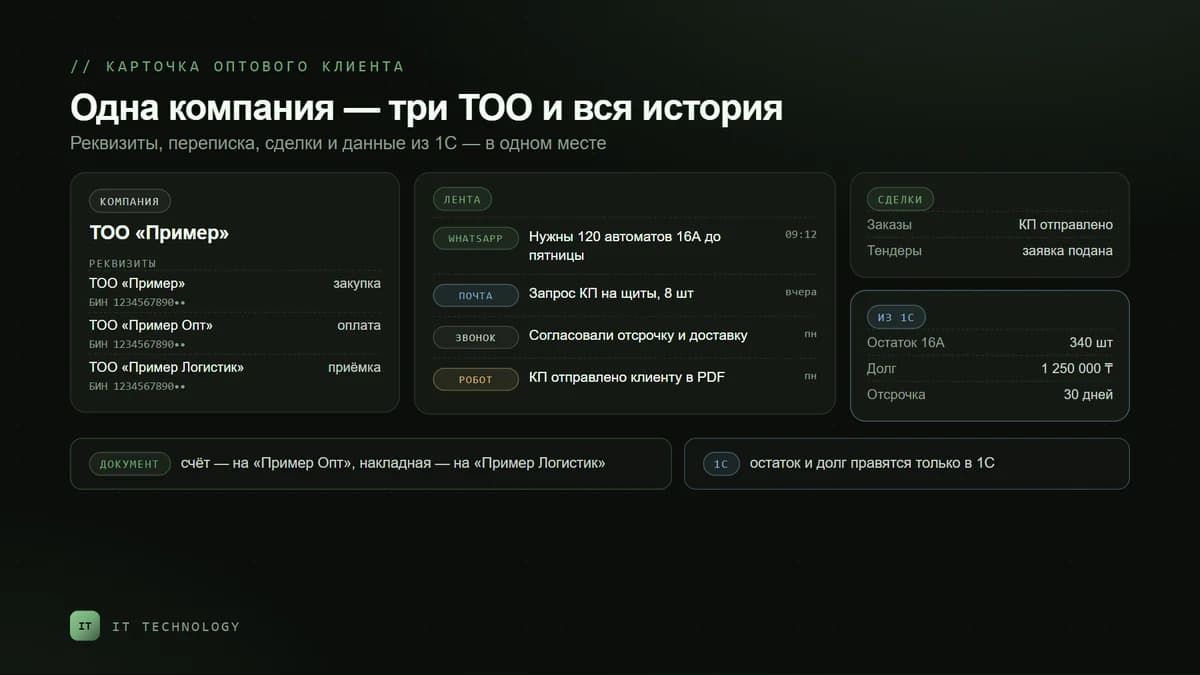
A large buyer often has several legal entities: one LLP buys, another pays, and goods are shipped to a third. If you create a card for each, the communication and sales history splits apart, and part of the client looks as if it stopped buying. The rule is simple: one company card with several sets of details, each with its own BIN. How to clean up an existing base is covered in the article on duplicate companies.
Pipelines: orders, tenders, key accounts
A single pipeline “for everything” does not work in wholesale: a one-off order, a tender and an annual contract have different stages and different people. Three are usually enough:
- Orders: request → selection and quote → invoice → payment → shipment → closed. This is the main flow.
- Tenders: found → documents → bid → results. On Professional, tenders are easier to run as a smart process — with their own fields and statistics; we explained how this works in the article on smart processes.
- Contracts and key accounts: scheduled supplies are run as recurring deals that are created automatically once a month or quarter.
Pipelines on bitrix24.kz: 5 on Basic, 10 on Standard, 20 on Professional. How to build the stages is covered in the article on the sales pipeline.
Channels: requests from WhatsApp, email and calls
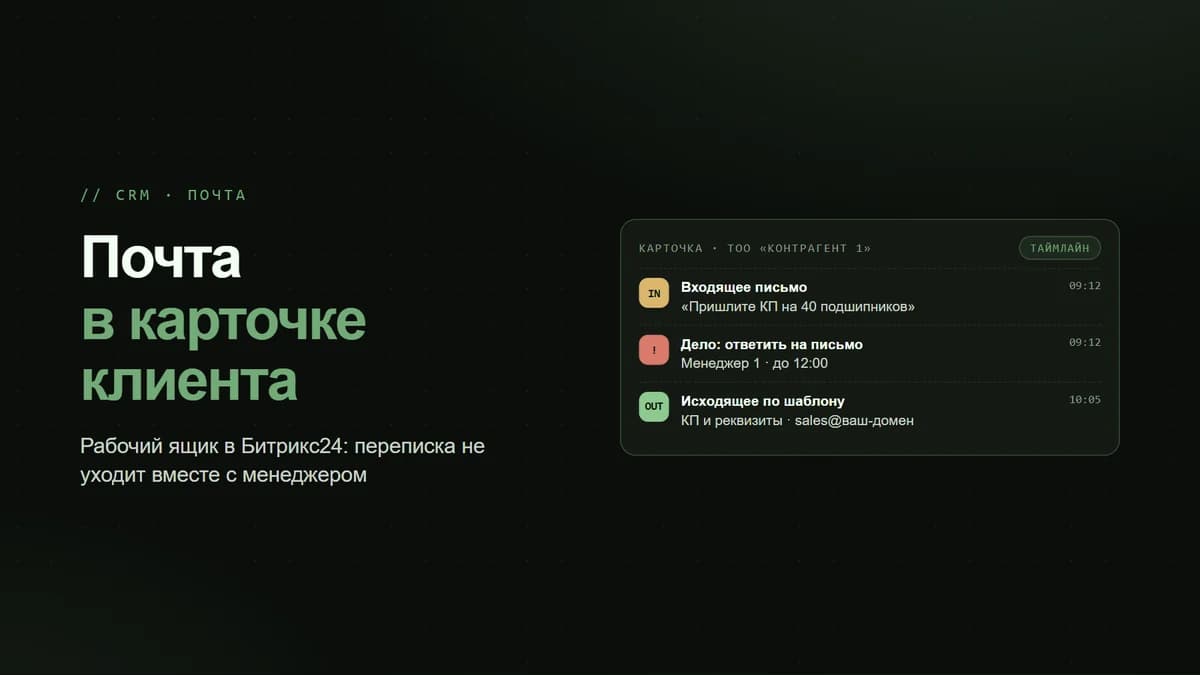
A buyer sends a request wherever it suits them, and the CRM’s job is to gather everything into the client card. Email connects to the CRM from Basic, calls through telephony, and WhatsApp through Wazzup: every message lands in the deal, and the conversation does not leave with the manager’s phone. How to connect it is covered in the article on Wazzup.
Documents, VAT and the warehouse
- Quotes and invoices are generated from the deal by template, with the details of the right LLP and a number from the numerator. More in the article on the document generator.
- 16% VAT: the rate is checked in products and templates, while ESF are still issued in the IS ESF or 1C. What to set up is covered in the article on VAT in 2026.
- Warehouse. If 1C keeps the stock, do not run parallel inventory accounting in Bitrix24 — choose 1C mode: warehouse documents stay in 1C, and the CRM receives products and stock. How both modes work is covered in the article on inventory management.
Repeat orders and dormant clients
A wholesaler’s revenue rests on repeat orders, and the main risk is a client who quietly stopped buying. Bitrix24 marks repeat deals by itself, and reminders are built with robots, recurring deals and repeat sales with AI. How to find dormant clients and win them back is covered in a separate article.
Where to start: a plan for the first month
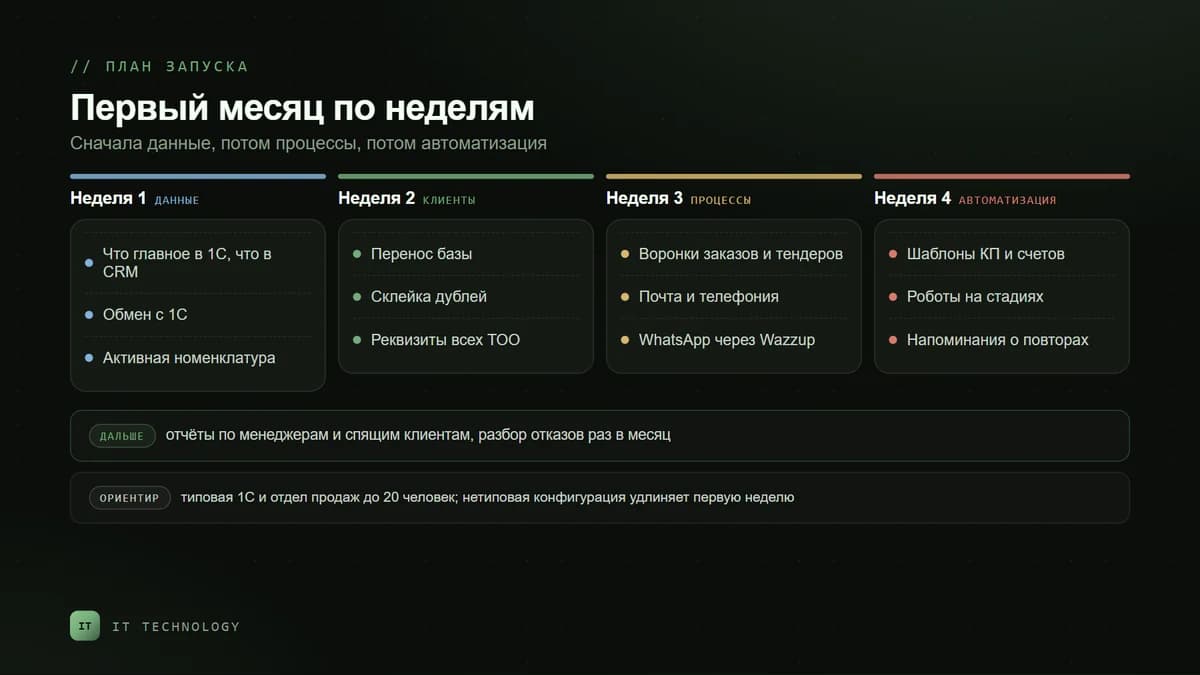
- Week 1 — data. Decide what is master in 1C and what in the CRM, set up the exchange and export the active product range.
- Week 2 — clients. Move the base, merge duplicates, add the details of all LLPs and assign owners. How to move the base is covered in the article on importing clients from Excel.
- Week 3 — processes. Orders and tenders pipelines, connecting email, telephony and messengers.
- Week 4 — automation. Quote and invoice templates, robots on stages, reminders about repeat orders.
- After that — control. Reports on managers and dormant clients, a monthly review of lost deals.
The timing is a guideline for a typical 1C and a sales team of up to twenty people. A non-standard configuration or many legal entities make the first step longer.
What to look at in a bitrix24.kz plan
| What a wholesaler needs | Basic | Standard | Professional |
|---|---|---|---|
| Products in the catalogue | 3,000 | 5,000 | 500,000 |
| Deal pipelines | 5 | 10 | 20 |
| Catalogue access rights | — | yes | yes |
| BI Builder | — | yes | yes |
| Inventory in 1C mode | — | — | yes |
| Smart processes and business processes | — | — | yes |
If the catalogue has more than five thousand items or stock must come from 1C, there is effectively one choice — Professional. A small wholesale business without a stock exchange can start on Standard. Current prices are on the Bitrix24 licences page.
Mistakes we see at wholesalers
- Two truths about price and stock. The manager edits a price in the CRM, while 1C ships at its own. There is one master copy; the other system only displays it.
- The whole product archive in the catalogue. The plan limit runs out, and the manager searches for the right item among discontinued ones.
- A separate card for every LLP. The client’s history falls apart, and revenue reports lie.
- Orders are closed only in 1C. The deal in the CRM hangs “in progress”, and after a quarter the pipeline says nothing about real sales. Why the figures drift apart is covered in the article on revenue in CRM and 1C.
- Correspondence in the manager’s personal WhatsApp. The manager leaves — and the clients leave too.
Frequently asked questions
Can wholesale be run in Bitrix24 alone, without 1C?
How many products can be loaded into the catalogue?
Does the exchange work with the Kazakhstan editions of 1C?
How should a client with several legal entities be handled?
Where should tenders be run?
Which plan should a wholesale company choose?
If your CRM is still 1C plus your managers’ WhatsApp, get in touch. We will work out which data to keep in 1C, set up the exchange, pipelines and channels, and check everything on your real clients. What the wholesale solution includes is on the CRM for B2B companies page.