In B2B, clients rarely leave with a scandal. A company that bought consumables from you every quarter simply stops ordering: the buyer changed, a competitor offered deferred payment, the manager who handled the account left. The pipeline does not show it — it only holds new deals. The loss is noticed six months later, when the client is already used to another supplier.
Winning such a client back is easier than finding a new one: they know you, your terms and your quality. You just need to notice the pause in time and come with a reason. Below: whom to consider a dormant client, how to find them in Bitrix24, which tools bring them back without manual reminders, and how to tell that it works.
Whom to consider dormant
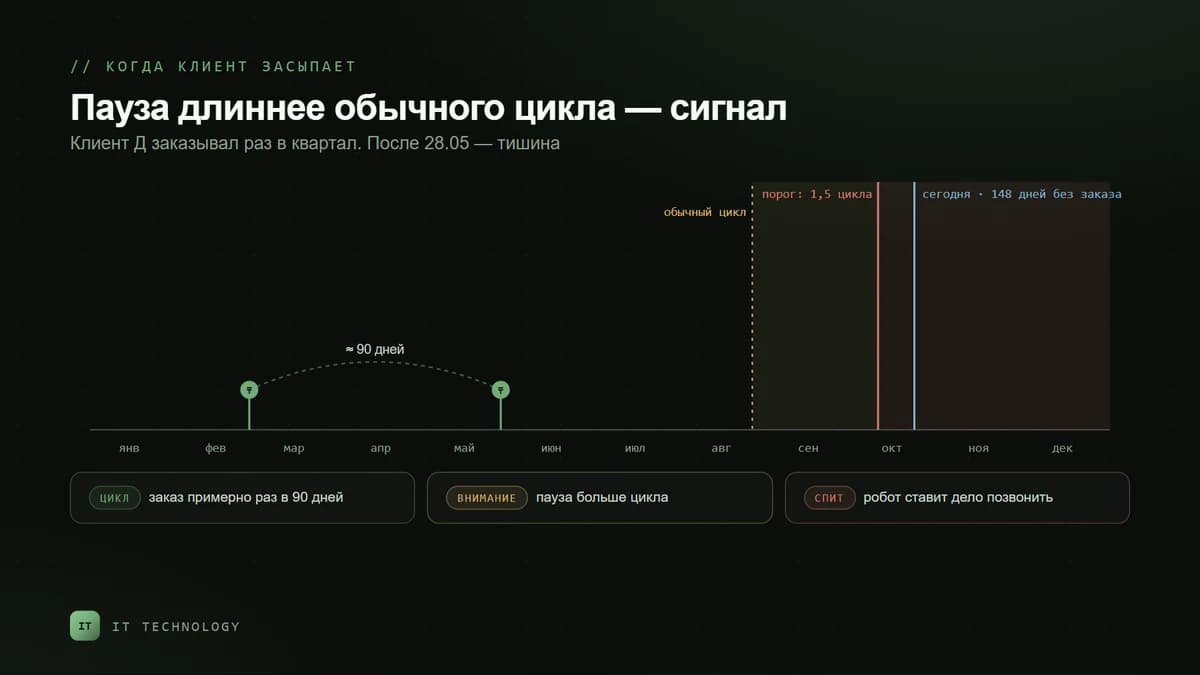
There is no universal period: for a buyer of consumables two months without an order is an alarm, for a buyer of equipment it is normal. We count from the client’s cycle: if the pause is one and a half to two times longer than their usual interval between purchases, it is time to get in touch. Guidelines for B2B:
| What they buy | Usual cycle | When to get in touch | What to bring |
|---|---|---|---|
| Consumables, spare parts, packaging | Every month | 45–60 days without an order | Ask about stock, offer a delivery schedule |
| Planned supplies | Once a quarter | 5–6 months without an order | A meeting to review needs for the next year |
| Licences, maintenance, rental | Once a year | 1–2 months before the renewal date | Renew early, before the client starts looking for a replacement |
| Equipment, projects | Unpredictable | 12 months without contact | A touch once a quarter: new products, case studies, service |
How to find dormant clients in Bitrix24
Bitrix24 tags repeat sales by itself. If a client already has a won deal, every following deal is marked as a Repeat deal. If a client came back but has not bought anything yet, their first deal is marked as a Repeat inquiry. Both flags can be added to the deal list filter: Add field → Repeat deal.
- The share of repeat sales is shown in CRM analytics. If it falls month after month, your base is going dormant even when there are plenty of new deals.
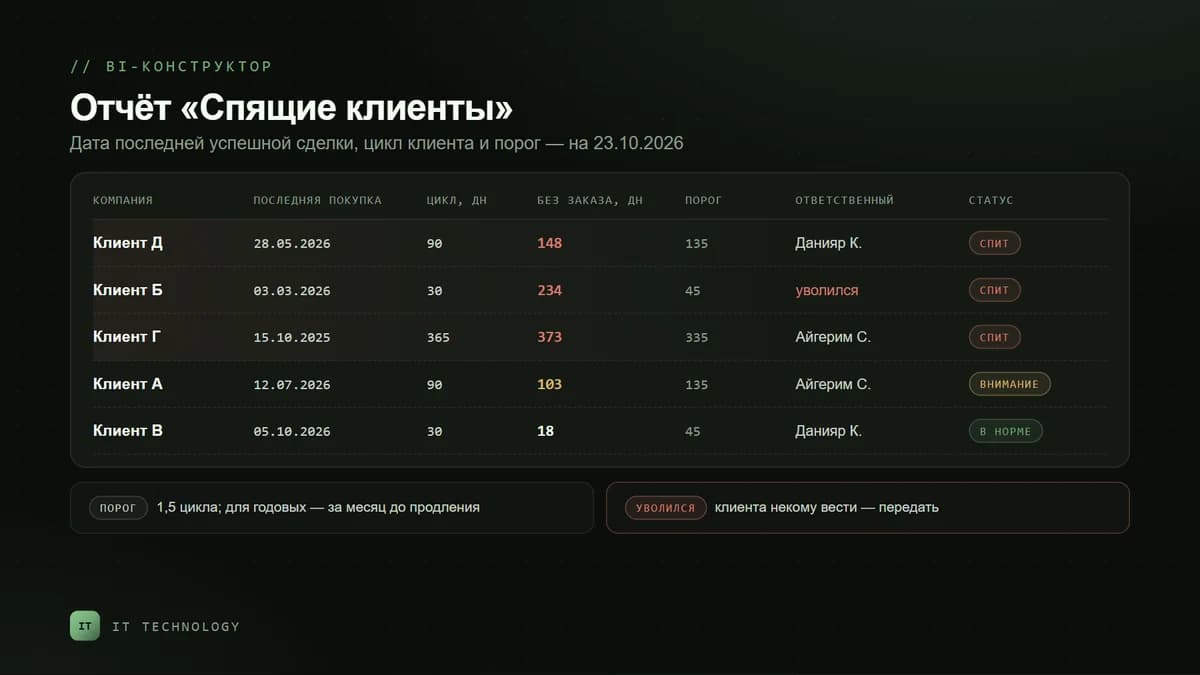
- A list of dormant companies is most reliably built in the BI Builder: for each company it takes the date of the last won deal and shows those where it is older than the threshold — with the owner and the amount of past purchases.
- A threshold for each client. Add a type or a “Purchase cycle” field to the company card — filters, reports and robots can rely on it.
An important condition: the CRM sees only what is recorded in it. If sales are processed in 1C and deals in Bitrix24 are closed only now and then, clients who actually keep buying will look dormant. Why the figures drift apart is covered in the article on revenue in CRM and 1C, and how the exchange works is on the 1C integration page.
Four tools to win a client back
Robots: a reminder after a won deal
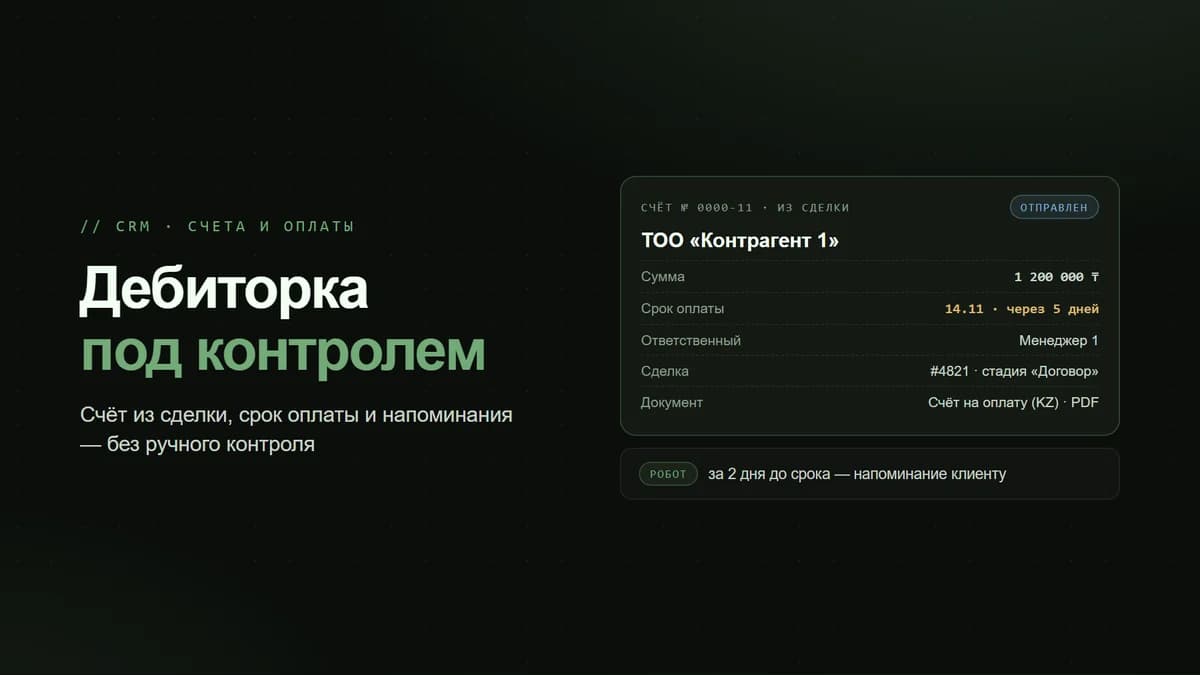
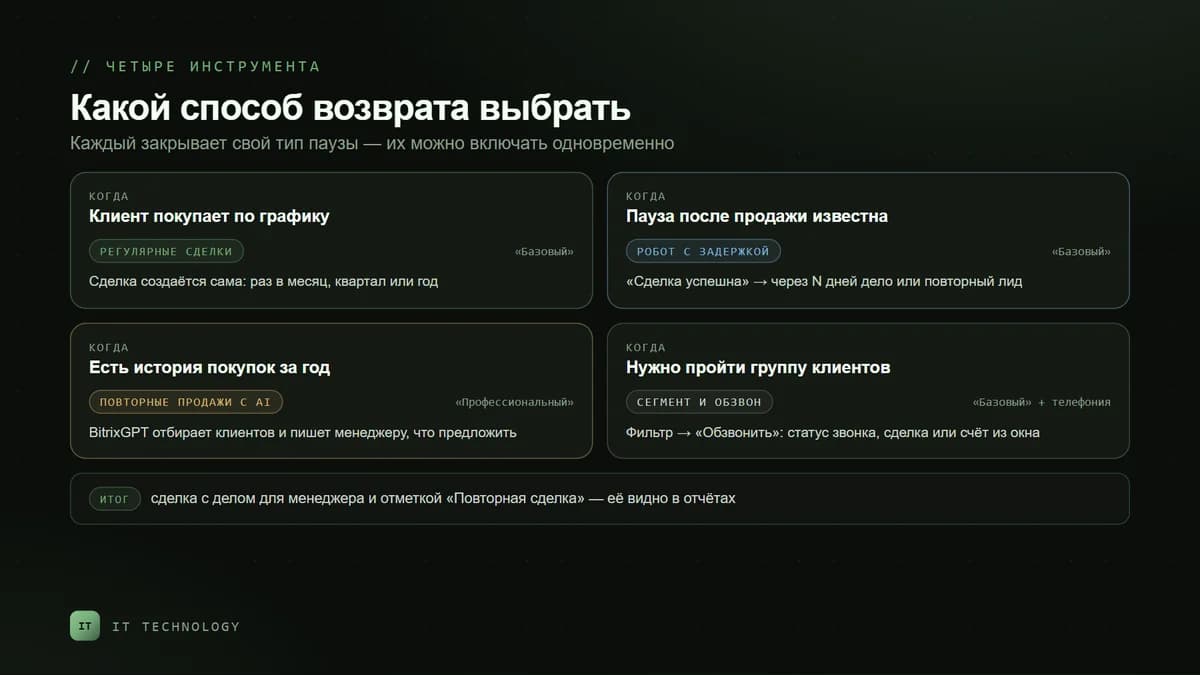
The simplest way is a robot with a delay on the “Deal won” stage. The repeat sales group has three such robots: Create repeat lead, Copy deal and Schedule activity. Bitrix24 help gives this example: 180 days after a won deal the robot creates a lead to remind the client about renewing a maintenance contract. If you work without leads, the same scenario is built with the Schedule activity robot: the manager gets a call in the calendar with a description of the client and the reason.
Recurring deals: when the cycle is known
If a client buys on a schedule — monthly maintenance, rental, an annual licence — there is no need to wait for a pause. In the deal card you switch on deal repetition in recurring mode and set the schedule: daily, weekly, monthly, yearly or your own interval. Repetition can stop on a set date or after a given number of times. New deals appear in the selected pipeline, and the manager sees the renewal in advance rather than after a call from an unhappy client.
Repeat sales with AI
This tool looks for clients who, judging by their purchase history, are likely to buy again, creates deals for them and puts an activity with BitrixGPT recommendations into each one: what to offer and how to open the conversation. There are five scenarios and you cannot add your own: monthly, half-yearly and yearly purchases, holiday purchases and “Any purchases”. Each client falls into one scenario only.
- Scenario settings: the pipeline and stage for new deals, the owner (the client’s owner, the owner of the last deal or a queue of employees), the deal name and the interval in days after the previous deal was closed.
- Statistics in the deals section: how many deals are in progress and won, for what amount and with what conversion — for 30 days, a quarter, half a year or a year.
- Data: calendar scenarios need deals for the last half-year, while “Holiday purchases” and “Any purchases” need a year of history. The fuller the cards, products and comments, the more accurate the recommendations.
A segment and a call list: a one-off campaign
When you need to work through a whole group — for example, everyone who bought a particular item a year ago — clients are selected with a filter and a call list is started: the Call button or the group action that schedules a call list. The manager goes down the list, records the result with a call status or postpones the call, and creates a deal or an invoice right from the window. Another option is the sales generator in CRM marketing: it creates deals for a segment with a task for the manager and distributes them through a queue of owners.
Calls require telephony — we explained how to connect SIP in Kazakhstan in a separate article. If clients prefer to answer in messengers, the same segment can be worked in WhatsApp while following the rules for broadcasts without blocking.
What to call a dormant client about
A message like “you haven’t ordered in a while, here is our price list” does not work. In B2B a client comes back for a reason that is useful to them:
- Stock and timing. “You used to buy this item once a quarter — shall we check whether it will last until the end of the season?”
- Changes in prices and terms. A new VAT rate, the exchange rate, delivery times — an honest warning in advance. What changed with VAT is covered in our article on VAT in 2026.
- A new item or a replacement. An analogue that is cheaper or faster to deliver.
- Service. Scheduled maintenance, a reconciliation of settlements, a contract update.
If the client went to a competitor, ask why and record the reason in the card. Six months later that note will tell you what to come back with.
How to tell that it works
- The number of dormant clients at the start and end of the month — from the same BI Builder report.
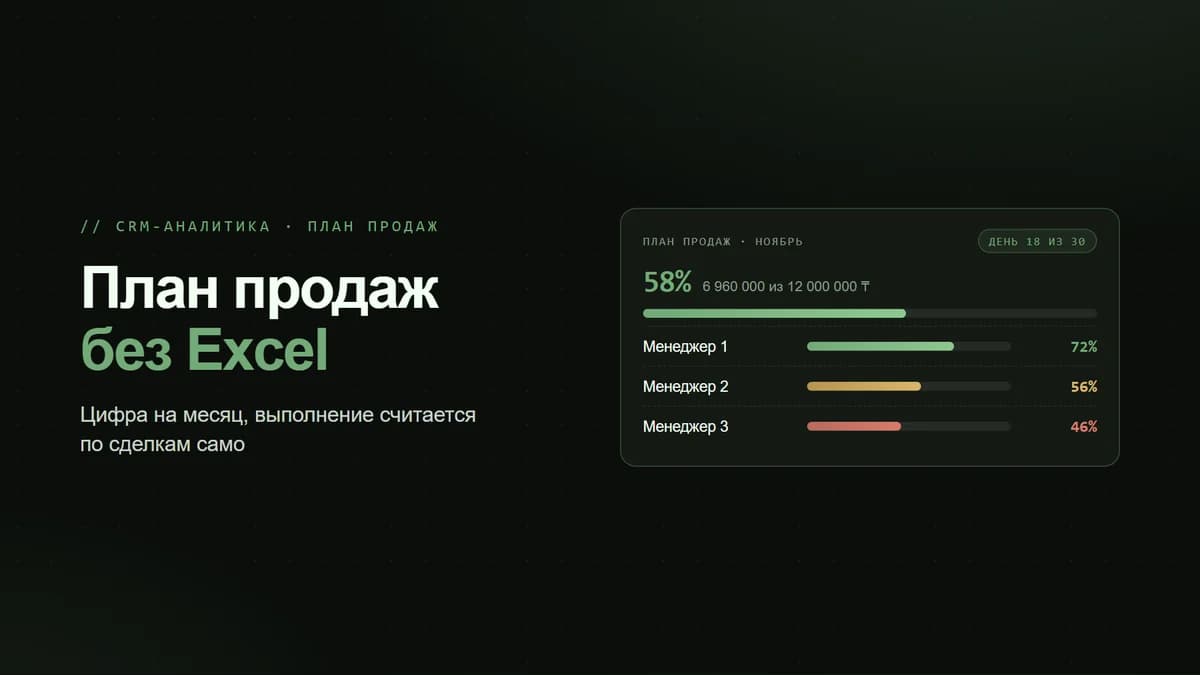
- The share of repeat sales — in CRM analytics.
- The conversion of the repeat sales with AI scenarios — in their statistics.
- Revenue from returning clients — deals marked as Repeat deal for the period.
Winning clients back is separate work, and it is worth reflecting in the incentive scheme, otherwise managers will hunt only for new deals. How to tie metrics to bonuses is covered in the article on sales team KPIs.
What is available on which bitrix24.kz plan
| Feature | From which plan |
|---|---|
| Create repeat lead, Copy deal and Schedule activity robots | Basic |
| Recurring deals | Basic |
| CRM analytics with the share of repeat sales | Basic |
| Client segments and the sales generator by segment | Basic |
| Telephony and call lists | Basic |
| BI Builder for a dormant-client report | Standard |
| Repeat sales with AI | Professional |
Current prices are on the Bitrix24 licences page.
The mistakes we see most often
- Waiting for the client to come back on their own. A pause without contact almost always ends with another supplier.
- The client has no active owner. The manager left, their companies are still assigned to them — and nobody calls. How to hand over the base when someone leaves is covered in the article on protecting the client base.
- One client in several cards. The company buys through another LLP, and the old card looks dormant. How to deal with it is covered in the article on duplicate companies.
- Deals created and forgotten. Repeat deals without a deadline or an activity pile up in the pipeline. Close them with a reason: “declined”, “went to a competitor”, “no need”.
- One email for everyone. A mass “we miss you” in B2B reads as spam — the reason must be about the specific client.
Frequently asked questions
How does Bitrix24 know that a deal is a repeat one?
Does Bitrix24 have a ready-made list of dormant clients?
How is repeat sales with AI different from robots?
Can I add my own scenario to repeat sales with AI?
After how many days should a client be considered dormant?
What if sales are recorded in 1C?
If you do not know how many of your clients have already gone dormant, get in touch. We will build a dormant-client report from your CRM and set up robots, recurring deals and repeat sales to match your purchase cycle. What else the setup includes is on the automation page.