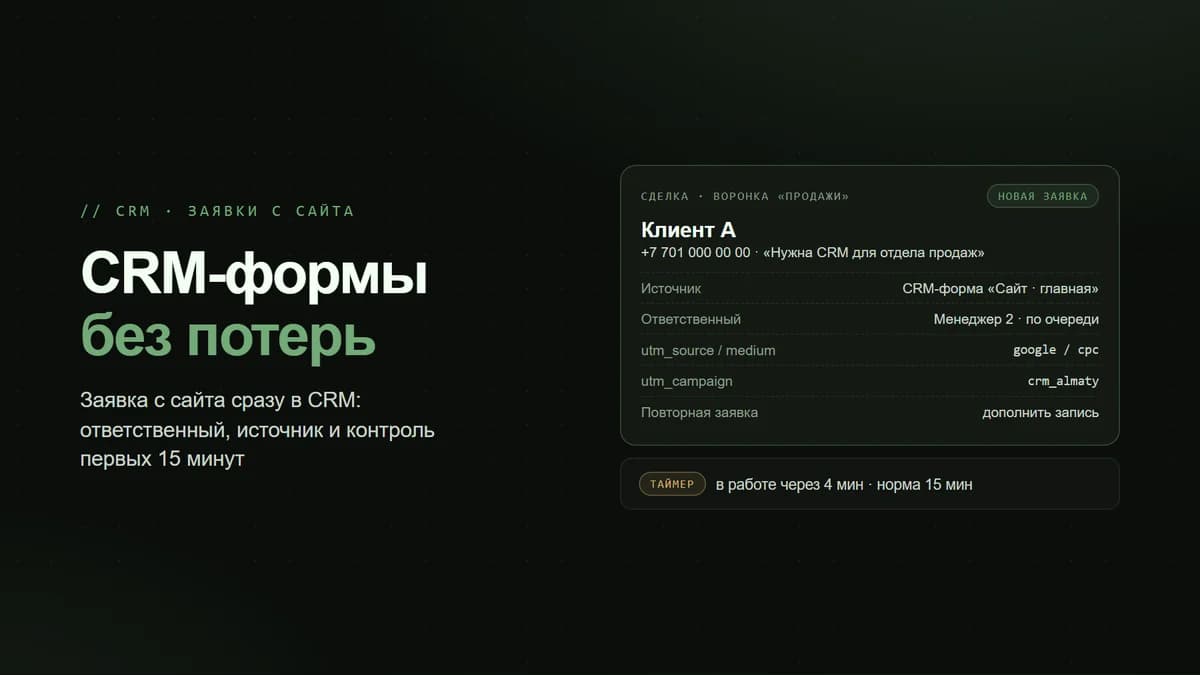
The CRM is in place, salespeople work in it, and yet the reports still do not add up: half the deals have no amount, the source is “other”, the Comment field contains a phone number, and the company is spelled three different ways. The manager stops trusting the numbers and goes back to Excel. The problem is neither the people nor the software — the CRM simply allows anything to be saved.
In Bitrix24, order in the data rests on three things: a card with the fields you need and none you don’t, required fields at the right stages, and permissions that do not let anyone skip a stage. Plus one habit — checking the quality of the database once a week. Let’s look at how to set this up and which of it is available on bitrix24.kz plans.
Where the junk in the CRM comes from
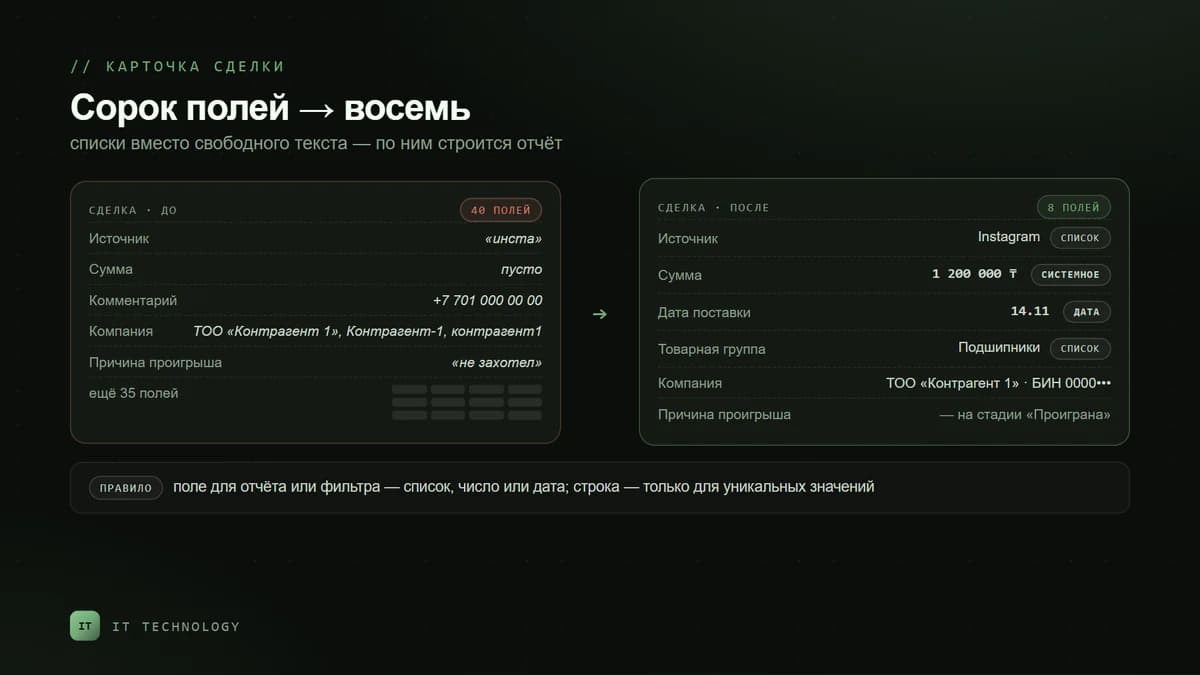
- Too many fields. The card has forty fields, eight of which are needed. The salesperson cannot tell the important from the optional and fills in nothing.
- No rules by stage. A deal can reach “Contract” without an amount or a contact person — and it does.
- Free text instead of a list. The source is “insta”, “Instagram”, “instagram” — three different values in the report.
- Stages are moved “for the report”. At month end, deals are dragged to “Won” without payment to close the plan.
- Clients are created again. It is easier to create a new company than to find the old one — hence the duplicates.
- Nobody checks. Errors pile up for months and surface only during reconciliation with 1C or when a salesperson leaves.
Step 1. The card: only the fields you need
Start by removing fields, not adding them. Open the deal card, hide the sections and fields the team does not use, and rename sections so it is clear what is inside. The card view is configured by Bitrix24 and CRM administrators; employees use the ready-made views. Each department can have its own view.
For what is missing, create custom fields — and choose the type by meaning. Anything that will later go into a report or a filter should be a list, a number or a date, not a string.
| Field | Type | Why this way |
|---|---|---|
| Deal source | List | A string gives “insta” and “Instagram” as two values; a report is built on a list |
| Amount | The system Amount field | Do not duplicate it with your own numeric field — the plan and analytics use the system amount |
| Delivery date | Date | The “overdue” filter and reminder robots work on a date |
| Product group | List or link to the catalog | Needed for plan vs actual by direction and for client segmentation |
| Loss reason | List | Five to seven reasons; “other” only with a required comment |
| Contract number | String | The one place where a string fits: the value is unique and does not go into reports |
Step 2. Required fields — by stage, not all at once
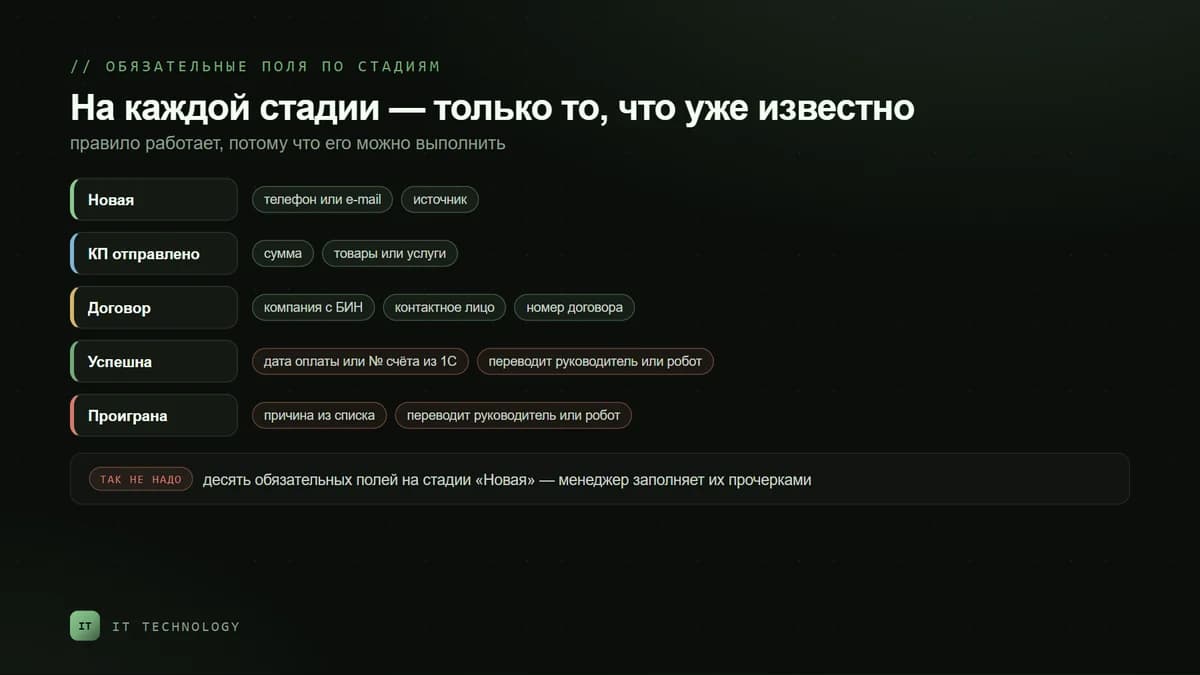
In Bitrix24 a field can be required for all stages or only for selected ones: the employee cannot save the card or move the deal forward while the field is empty. The main mistake is to make everything required at the first stage: the salesperson starts typing “-” and “none”, and the rule stops working. Require exactly what is already known at that stage.
- New — the contact’s phone or email and the source. Nothing else: the client has only just written.
- Quote sent — the amount and the products or services in the deal. Without them the quote could not have been sent.
- Contract — the company with its BIN and a contact person, the contract number.
- Won — the payment date or the invoice number from 1C, so the deal matches the reconciliation.
- Lost — the loss reason from a list. Otherwise the report by reasons will be empty.
Required status is set right in the card: hover over the field, open its settings and tick “Required at stage”, then choose the stages. The rule applies to all deals in the pipeline; it is set separately for each pipeline. On bitrix24.kz, required fields by stage are available from Basic.
Step 3. Permissions: who can move a deal and where
Required fields will not save you if a deal can be dragged straight to “Won”. In CRM access permissions, each role has a “Move to stage” setting — any stages or only specific ones, and permissions can be set for particular stages. A typical scheme: the salesperson moves the deal up to “Contract”, and it is moved to “Won” or “Lost” by the manager or by a robot based on payment from 1C. There you can also hide the stage totals on the Kanban from salespeople if that is commercial information.
If the card holds data not meant for everyone — passport details, discount terms, cost price — restrict the field’s visibility by employee or department. The administrator always sees such fields. On bitrix24.kz this setting is available from Professional; how to close the database entirely, we covered in the article on protecting your client base.
Step 4. Checking the database once a week
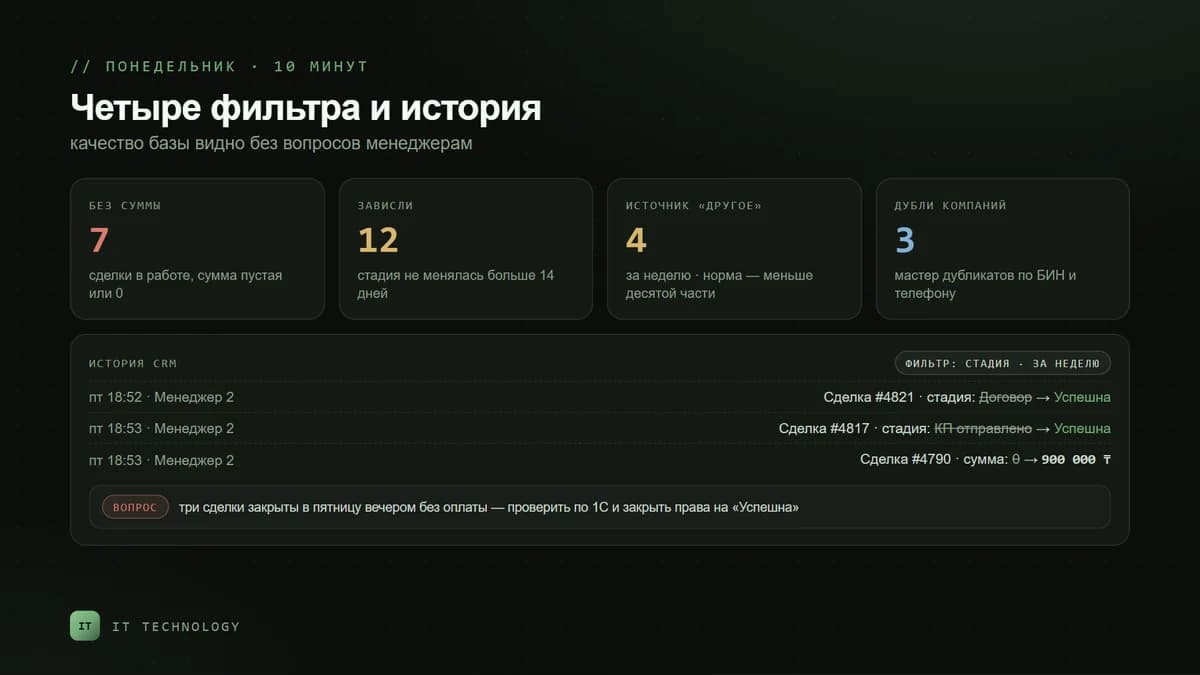
Rules keep order at the entrance but do not fix what has already piled up. Create four saved filters and open them on Mondays — it takes ten minutes.
| What we look for | Filter in the CRM | What to do |
|---|---|---|
| Deals without an amount | Deals in progress, amount empty or 0 | Return to the salesperson before the deal moves on |
| Stuck deals | Stage change date older than 14 days | Decide: move, close as lost or reschedule |
| Source “other” | Deals from the week with source “other” | If more than a tenth are like this, the list is missing a value |
| Duplicate companies | Duplicate control wizard by BIN and phone | Merge; the rule is one card per legal entity |
When a number in a report looks odd, do not argue with the salesperson — open the CRM history: it shows who changed which field and when, including the stage, amount and responsible person; the filter works by author, type of change and date. How to merge duplicates into one card, we wrote in detail in the article on duplicate companies, and how to reconcile the CRM with 1C — in the article on revenue discrepancies.
What is available on bitrix24.kz plans
| Feature | Free | Basic | Standard | Professional |
|---|---|---|---|---|
| Custom fields and your own stages | yes | yes | yes | yes |
| Permissions to change pipeline stages | yes | yes | yes | yes |
| Automatic duplicate check on creation | yes | yes | yes | yes |
| Required fields by stage | — | yes | yes | yes |
| Extended CRM access permissions | — | yes | yes | yes |
| Duplicate control wizard | — | — | yes | yes |
| Employee access log for CRM data | — | — | yes | yes |
| Field visibility for different employees | — | — | — | yes |
Plan prices are on the Bitrix24 licenses page. For order in the data, Basic is usually enough: required fields by stage and stage permissions are already there. Standard is needed when the database has grown and duplicates have to be cleaned with the wizard rather than by hand.
Common mistakes
- Making ten fields required at the first stage — salespeople fill them with dashes, and the rule loses its meaning.
- Keeping the source, loss reason and product group in text fields — no report can be built on them.
- Letting everyone move a deal to “Won” — the sales plan is “met” without payments; how the sales plan is calculated, we wrote separately.
- Creating your own numeric Amount field instead of the system one — analytics and the plan do not see it.
- Setting required fields in one pipeline and forgetting the others — the rule applies only where it is set.