The handover was signed in March. In June the owner opens the portal and sees four deals for the last month, managers chatting with clients on their personal WhatsApp, and invoices still being made in Excel. The contractor is not at fault here: the contracted work was done, pipelines were configured, training was delivered, the paperwork is in order.
This is the gap between "configured" and "working". It appears not through bad faith but because the two sides read the word "delivered" differently: for the contractor it is a completed list of tasks, for the client it is a system the team actually uses. We implement Bitrix24 ourselves, and we think clients should apply the checklist below to us as well — that is a normal part of the job, not a sign of distrust.
Why sign-off "by the paperwork" doesn't work
A typical handover document says: sales pipelines configured, email and telephony connected, client base imported, training delivered. All of that is a list of actions, and every one of them really was performed. But none of those lines answers the question the system was bought for: will tomorrow's enquiry travel from first contact to the management report without somebody pushing it along by hand?
So the contract and the handover document should record not only the work but the acceptance criterion. The wording can be simple: "the system is accepted once the control scenario described in the annex runs end to end and can be reproduced by the client's own staff". That protects both sides equally: the contractor knows where their responsibility ends, and the client knows what they are paying for. How to build that scenario before the work starts is covered in our CRM implementation checklist.
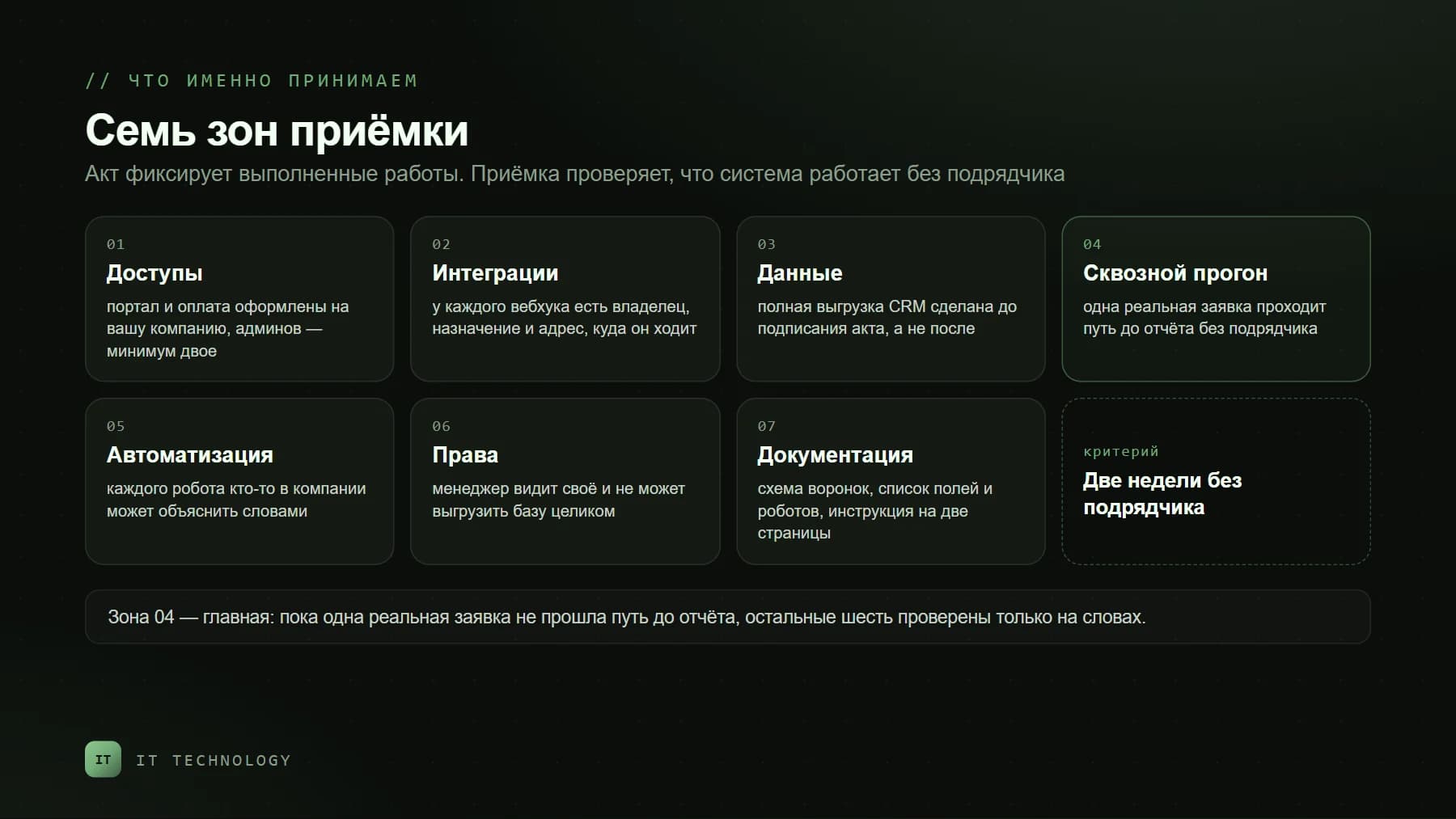
Area 1. Access: the portal must be yours
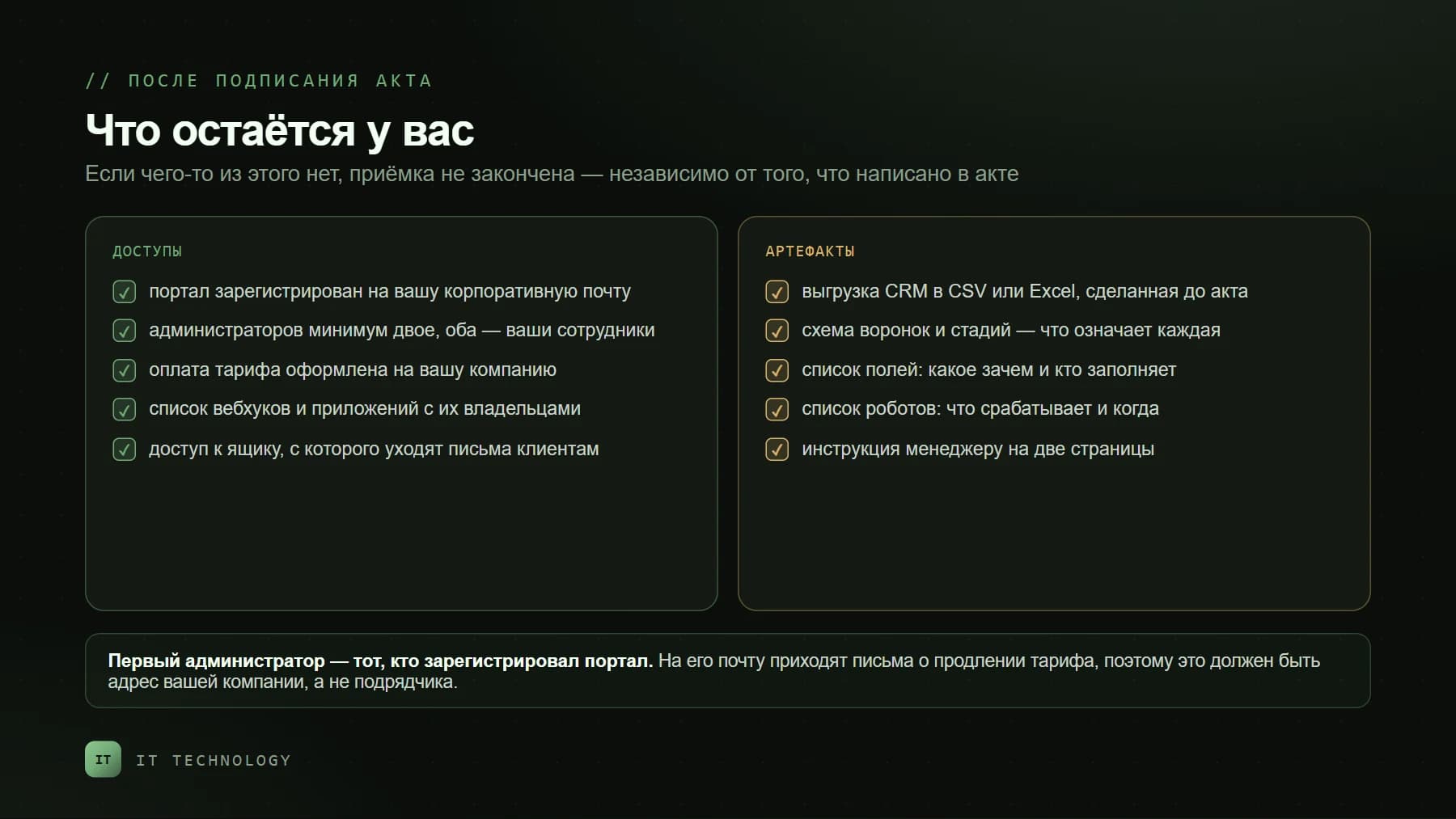
The first thing to check is whose name the portal is in. In Bitrix24 the first administrator is the user who registered the portal, and it is their email that receives renewal notices and important alerts. If the contractor registered it from their own address, a year later the billing email goes to them, not to you. This is not a reason for conflict, but it has to be fixed before the handover is signed rather than after the relationship ends.
- The portal is registered to the company's corporate email — not an employee's personal mailbox, and not the contractor's address.
- At least two administrators, both your own staff. The number of administrators depends on the plan (one on the free tier), so plan for it in advance.
- The subscription is billed to your company and visible to your accounting, rather than running through the contractor's invoice.
- You keep access to the mailbox client emails are sent from — together with its password or app key.
- The domain hosting your site and forms is under your control. If the forms collect enquiries but the domain belongs to someone else, you depend on a third party.
Area 2. Integrations: who connected what
During a rollout, webhooks and local applications accumulate on the portal: an exchange with the website, an upload to the accounting system, messenger notifications, custom scripts. They all live in Market → For developers → Integrations, which shows the name, what events each one triggers, which tools it can reach, and which user created it.
A Bitrix24 administrator has access to all created webhooks and applications.
Walk that list with the contractor and record three things per row: what this integration does, where it sends data, and who created it. A webhook nobody can explain is either a forgotten experiment or a live channel sending your data outside. Both are better discovered during acceptance. Flag separately anything created under the account of someone who has left: when that account is deactivated, those integrations stop working, and you find out at the worst possible moment.
Area 3. Data: export the base before signing
A CRM export is both a check that the base was migrated in full and your own insurance policy. You can export leads, deals, contacts, companies, invoices, quotes and smart-process items, in CSV or Excel. One important detail: the file only includes items visible in the list under the current filter, and only the selected columns — so clear the filter first and tick "export all fields" in the export settings.
Do the export before signing, for a simple reason: while the money has not been fully paid, questions get answered faster. Also worth knowing: cloud Bitrix24 has no "download the whole portal" button — your copy of the data is the CRM export plus the files from the Drive. Make a habit of repeating the export quarterly and keeping the file outside the portal.
Area 4. An end-to-end run on live data
This is the heart of acceptance and the step most often skipped. Handover usually looks like a demo: the contractor walks through screens and explains how everything is built. Replace the demo with a run. Take one real enquiry and have your own employee — not the contractor — carry it along the whole path while the contractor watches in silence and touches nothing.
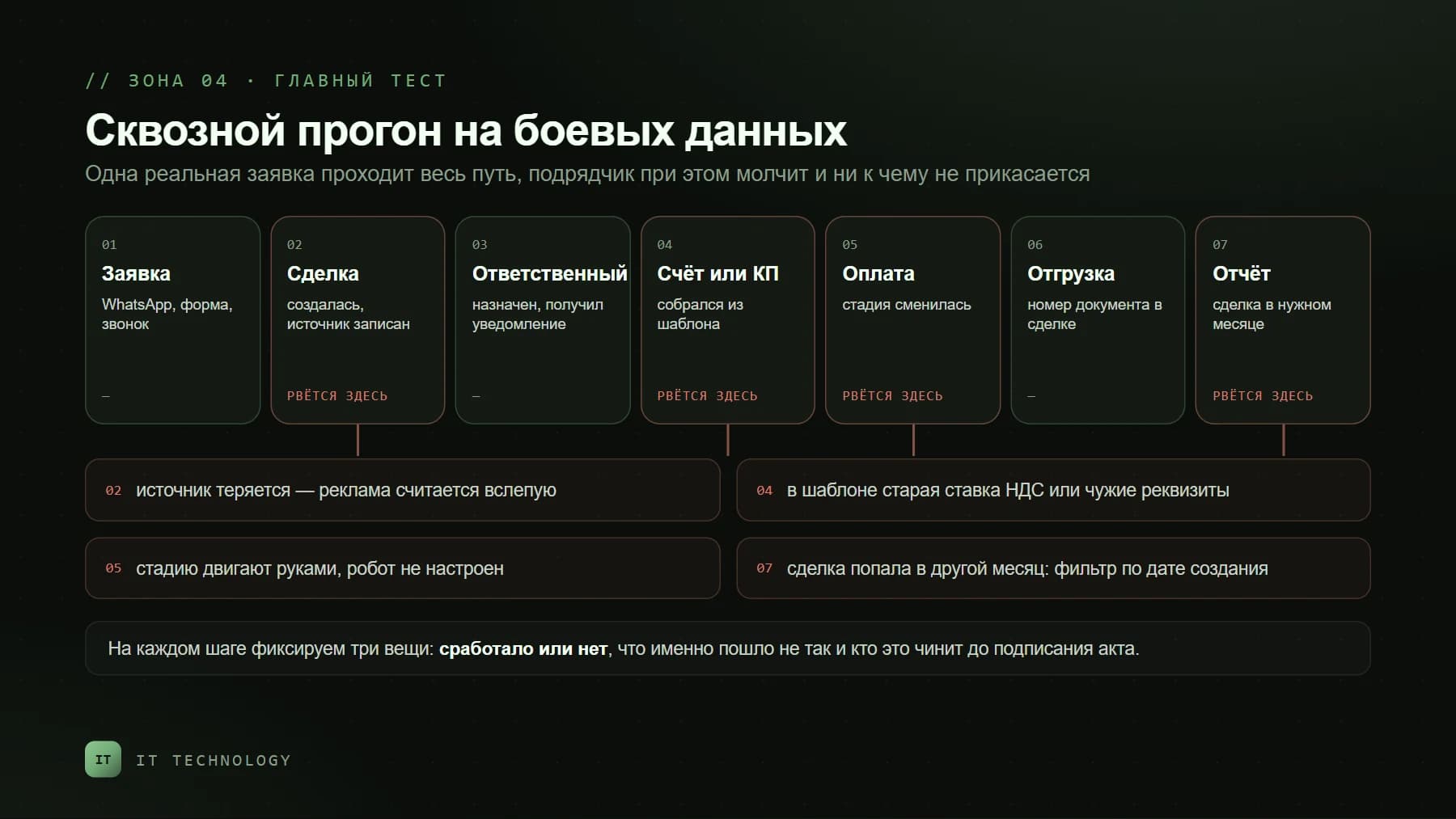
- The enquiry arrives from the website, WhatsApp or a phone call — and lands in the CRM by itself, with no copy-paste.
- A deal is created, the source is recorded, and no duplicate appears even though the client wrote and called at the same time.
- An owner is assigned by a rule everyone understands, and is notified in the app rather than "whenever they next log in".
- The invoice or quote builds from a template with current company details and the current tax rate.
- After payment the stage changes — driven by accounting data or the accountant's action, not "when the manager remembers".
- The shipping document number appears on the deal — typed in by hand at minimum, if there is no exchange with accounting.
- The deal shows up in the report for the right month and at the right amount. This step fails more often than any other.
For each step record three things: did it work, what exactly went wrong, who fixes it and by when. The result is a short list of gaps — and that list is what you discuss before signing. If the report at the final step is not what you expected, the cause is usually not the contractor but which date and which pipelines it is built on; we covered that separately in why CRM turnover doesn't match 1C.
Area 5. Automation: every robot must be explainable
Robots and business processes are the part clients usually take on trust. The test is simple: after the contractor leaves, someone in the company must be able to explain in plain words what happens at every stage change. Without that person, automation becomes a black box that one day emails a client at three in the morning.
- What fires on each stage change, and who receives the notifications?
- Which emails and messages go to the client automatically — and from which address or number?
- What happens if a deal is moved back a stage: does the robot fire again?
- Which robots are tied to a specific employee rather than to a role or department?
- Where is automation switched off if it starts getting in the way tomorrow — and who is able to do it?
Area 6. Access permissions
The familiar picture after a fast rollout: every manager is an administrator, because "it is easier to configure that way". That is convenient right up to the first resignation. At acceptance, check two things: that a manager only sees their own clients, and that the right to export the base is limited to a few people — in Bitrix24 it is configured separately for each CRM entity. A full look at permissions and what happens when someone leaves is in our post on protecting the client base.
Area 7. Documentation and training
Implementation documentation is not a hundred-page volume. A handful of short artefacts is enough — the kind that lets a new person work things out without calling the contractor. Check them by the "opened it, understood it in five minutes" rule.
| Artefact | What it is for | How to check it in five minutes |
|---|---|---|
| Pipeline and stage map | What each stage means and when a deal moves on | Ask any manager to explain two adjacent stages — the answers should match |
| Field list | What each field is for, who fills it and when | Open a deal card: every required field should have an explanation |
| Robot list | What fires automatically and at which moment | Compare the list against what is actually configured in the pipeline |
| Integration register | What is connected, where it sends data, who created it | Compare with For developers → Integrations — the rows should match |
| Manager's instructions | How to run a deal in day-to-day work | Hand it to a new hire and see whether they cope without a mentor |
| Training recordings | So you don't gather a group again at every hire | Check the files are stored with you, not in someone else's cloud |
The real criterion: two weeks without the contractor
The most honest test needs neither checklists nor expertise. The system is accepted if the team works in it for two weeks without contacting the contractor, and the parallel bookkeeping in spreadsheets and personal messengers has stopped. If after two weeks half the enquiries are bypassing the CRM again, the problem is not the buttons: either the process was described differently from how the company actually works, or people were never taken through to the habit. The second is more common, and it is cured by management discipline rather than development — we wrote about that in how to get the team to actually use the CRM.
If it is already too late to accept
The paperwork was signed a year ago, the contractor no longer replies, and the system half works — a common situation, and a fixable one. The procedure is the same, except that an inventory takes the place of acceptance: collect the list of administrators and integrations, export the data, run the end-to-end test, write down the gaps. You end up with ten to fifteen items, a third of which typically close with a day of configuration. Then decide who finishes the job — the same contractor or a new one; honestly, changing the supplier fixes nothing by itself if the process inside the company was never described. If you want an outside pair of eyes, we run that inventory as a portal audit.
FAQ
The contractor won't hand over access. What now?
Can work be accepted in stages?
How long does acceptance take?
Should we rotate webhooks and passwords once the work ends?
The portal is registered to the contractor. Is that critical?
We already signed off. Is the checklist still worth anything?
If you are in the middle of a rollout right now, the most useful thing you can do in the next hour is write down the control scenario: how an enquiry should reach the report in your company. That scenario becomes the object of acceptance. If you need help with the check, or with what the previous contractor left behind, get in touch — we will look at the portal and tell you plainly what is done and what is merely configured.